|
|
A New Idea For Ferry Operations
By John D'Angelo
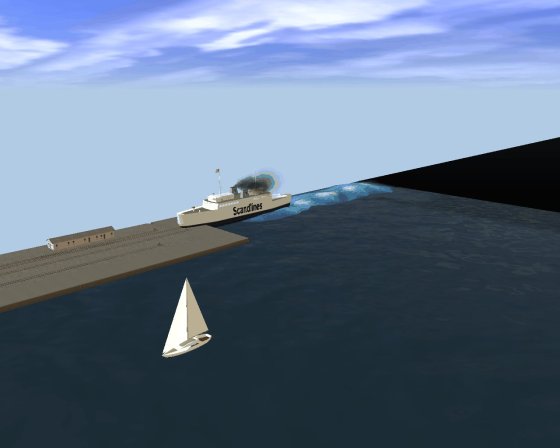
Ferry iPortal at Orient Point.
I'm one of those people who just enjoy creating new layouts and trying out new ideas. It seems that just as I finish working on a layout in Trainz, I start thinking about the next layout. At this moment I have a few different layouts in various stages of completion. I also have completed layouts that I will modify at times when that bulb in my head goes off.
The Orient Point Ferry layout is a switching layout that can be used as a stand alone layout or in modular fashion. It can easily be attached to another layout. The key idea behind this layout is that I am using an iPortal disguised as a rail ferry. An iPortal, found in TRS2006 and TS2009, can transport trains across the Internet to another iPortal, either located at a different spot on the layout or to another layout, or it can just delete entering trains just like a regular portal.
Where I live, on the eastern end of Long Island, we have a few different ferries. There are the Shelter Island ferries and there are the Orient Point ferries. The Shelter Island ferries are what I would describe as the standard island-sized ferry. Not very big, with the captain's cabin to the side. They traverse the narrow estuaries between Shelter Island and Greenport or Shelter Island and the Hamptons.
The Orient Point ferries, on the other hand, are big. The older models are converted LST's from WWII, where the bow of the ship opens up to allow cars to enter. These ferries travel between Orient Point, Long Island and New London, Connecticut. The trip is across Long Island Sound, which takes an hour and a half and is a great way to get to New England from here. I decided to base my rail ferry on the Orient Point ferry. At the Trainz Download Station (DLS) there is a ferry model similar in size to the Orient Point ferry called the “Ferry Holger Dansk,” which is included in this layout.
Having found a proper sized ferry, I needed to mate it with an iPortal. I decided that the best way to make the iPortal work with the ship was to make the iPortal invisible. When you join track to an iPortal, or a normal portal, it will change to the type of track that is being joined to it. I found that by placing a short section of invisible track between the track and the iPortal, then joining the invisible track to the iPortal, it also became invisible. I then slid the ferry into place over the invisible iPortal to complete the model.
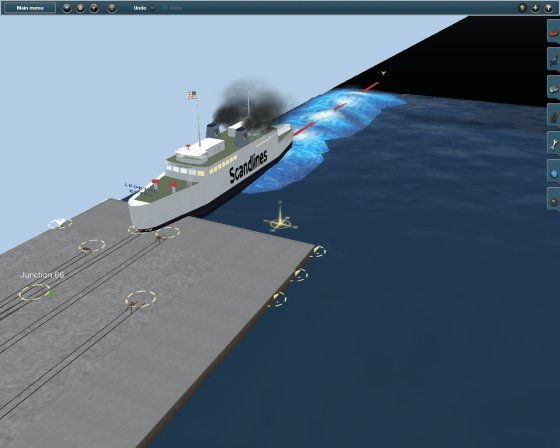
Ferry with invisible iportal.
If I drive a train into the ferry it will disappear while inside the ferry body, giving the impression of the train being loaded into the ship. Once I had that concept working, I decided to create a layout using this ferry idea along with other iPortals.
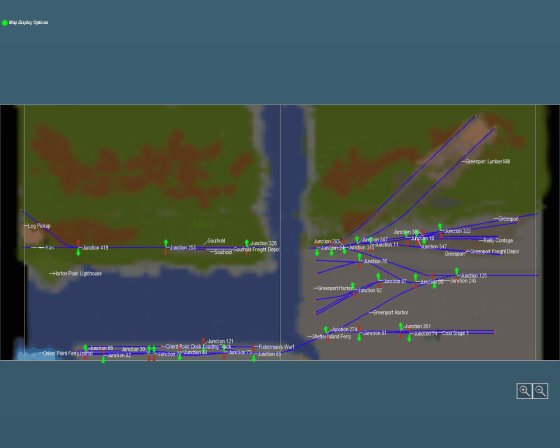
There are four sections to the four baseboard switching layout. The baseboards on each end of the layout are painted black and hold invisible iPortals. The Southold iPortal enters from the west. The Greenport iPortal enters from the northeast. The Orient iPortal enters from the east. Finally, the Orient Point Ferry iPortal enters from the southwest.
On my own version of the layout I decided to have the ferry “travel,” and the way I did this was to create another ferry iPortal on my United Central layout at Whitecliff Dock. Trains entering the Ferry at Orient Point are transported to the United Central layout. Conversely, trains entering the ferry on the United Central layout are transported to Orient Point and come out of the ferry there. The process is almost magical!
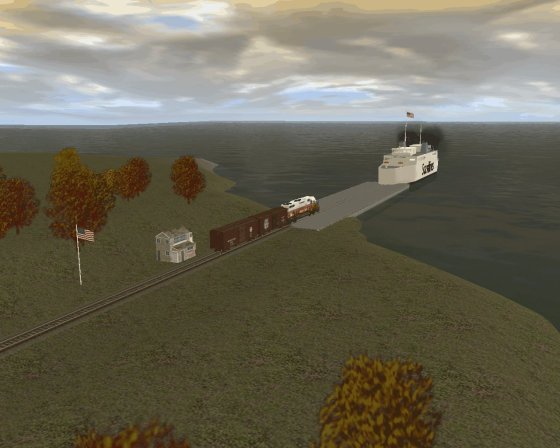
Ferry at Whitecliff Dock on my United Central layout.
The layout is freelance and not based on a real railroad, but I used local names because I like to use them. The layout is available for download from the Virtual Railroader (TS2009 only) Downloads page, but it does include some extras, such as the Bascule Bridge and Holger Dansk ferry. All of the extra items are available from the DLS. Some of the extra items will get “flagged” by Content Manager, but they have no problems running in TS2009.
The only custom item that needed a little “help” was the Bascule Bridge. For some reason, in TS2009 when you join track to the Bascule Bridge, it becomes visible and shows when the bridge is up. I just added a piece of invisible track to each end of the bridge when working in Surveyor to correct this.
After you download the layout, go to it in Content Manager and give the command “Download”. Content Manager will install any missing extra items directly from the DLS. You will also need the “Sender Unit,” which is also available as part of the download package, and their operating sessions. These will be explained later.
Here are some screen shots of the layout:
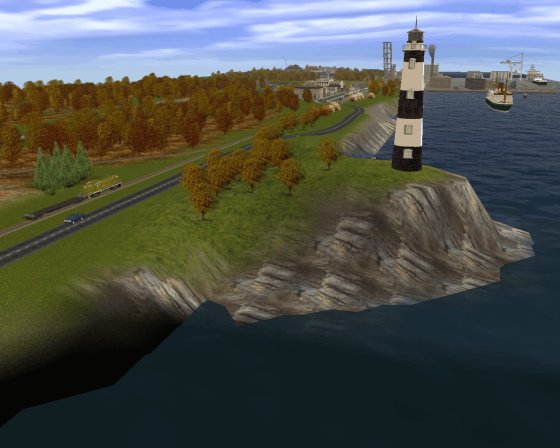
Horton's Point Lighthouse at Southold.
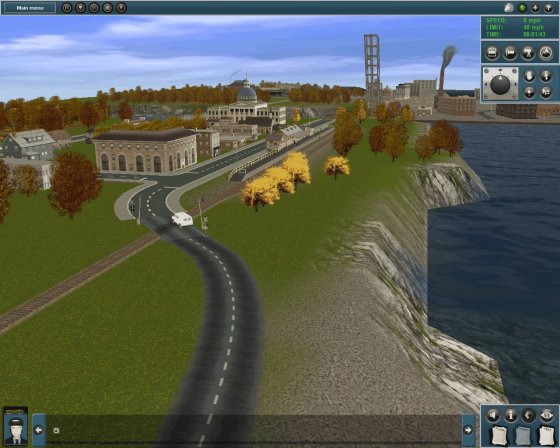
Southold.
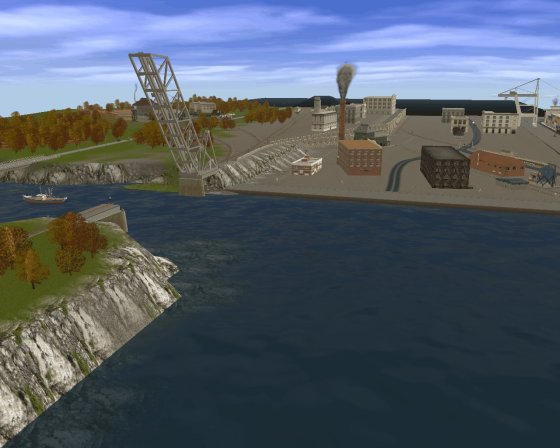
The Bascule Bridge between Southold and Greenport.
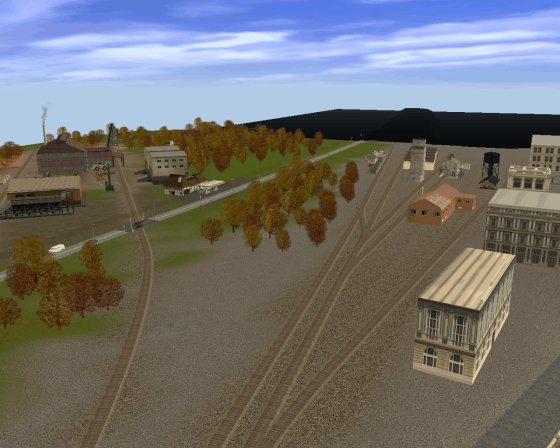
Greenport Yard.
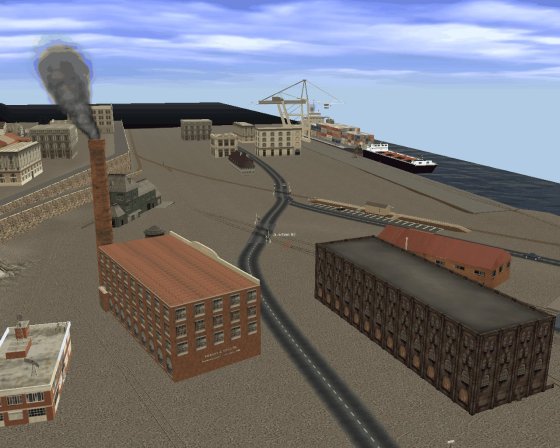
Orient Yard.
Orient Point Ferry.
There are a few operating industries included in the layout, such as a logging and lumber factory operation and a coal delivery operation at Orient dock. I have placed various buildings at other sidings in the yards, but they are not active industries, so that you can change them to either active LARS industries or use a track marker to label them. The included session uses a CN locomotive and a log car. It is positioned just west of Southold by the logging operation. Load the log car and drive it to the lumber mill in Greenport. Then drive the empty load to the Holger Dansk ferry where it will be “delivered.”
If the ferry iPortal does not have a destination iPortal, the train will just be deleted. It's up to you if you want to delete the load, send it to one of the other iPortals on the layout for re-entry, or send it to an iPortal on another layout.
The Sender Unit
I enjoy running in continuous mode and introducing or removing trains from an active layout. In order to do this, I create a “Sender Unit,” which allows you to direct a train to an iPortal that will send the train to one of the iPortals on the destination layout. I have specialized sender units for any of my layouts that use iPortals. The included sender unit is a simple layout with four iPortals to send the train to any of the four iPortal destinations on the Orient Point Ferry layout. Build the train as you like in Surveyor, then send it to the destination in the operating session.
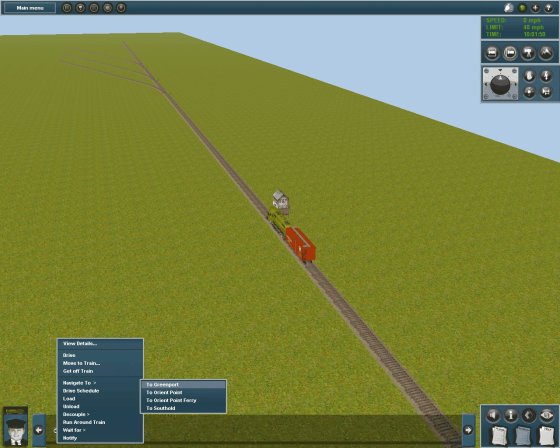
Sender Unit about to deliver a train to the Greenport iPortal.
To summarize, you will need to download the following 4 items from Virtual Railroader:
- Orient Point Ferry layout
- Orient Point Ferry Session
- Orient Point Sender layout
- Orient Point Sender session
After they are installed, go to the Orient Point Ferry layout in Content Manager and instruct it to “Download” in order to install any missing extra items. Please understand that the Orient Point Ferry layout was created in TS2009 and should only be used with TS2009 or later versions.
Finally, you will need to program the iPortals for how you want them to operate, using your own Trainz ID. The iPortals currently all show “Nobody” and you will need to change them to your own ID.
There's a little work to get the system running the way you want, but it's not a difficult process and once it's up and running it's a lot of fun.
Oh yes, I have one more idea for you. If you have a friend who is also using Trainz TS2009, you each could have a copy of this layout and send trains and loads back and forth to each other.
The download package is available free at the Virtual Railroader Downloads page and includes the Orient Point Layout, Orient Point Session, Orient Point Sender Unit Layout and Orient Point Sender Unit Session. All are in a single zip file, OrientPoint.zip, which is only 82 KB in size. Remember, this is for TS2009 and higher.
Enjoy!
John
Article and screen shots �2010 John D'Angelo. All rights reserved.
More Articles:
[Visit the VR Reading Room.]
If you want to be notified when a new article arrives, join the VR-News group at Yahoo. This group is purely for notification. Anyone can join; only the moderator can post.
|
